Moon Arc Phone Rest
Moon Arc Phone Rest
Couldn't load pickup availability

Moon Arc Phone Rest
A Little Moon for Your Everyday Screen. 🌙
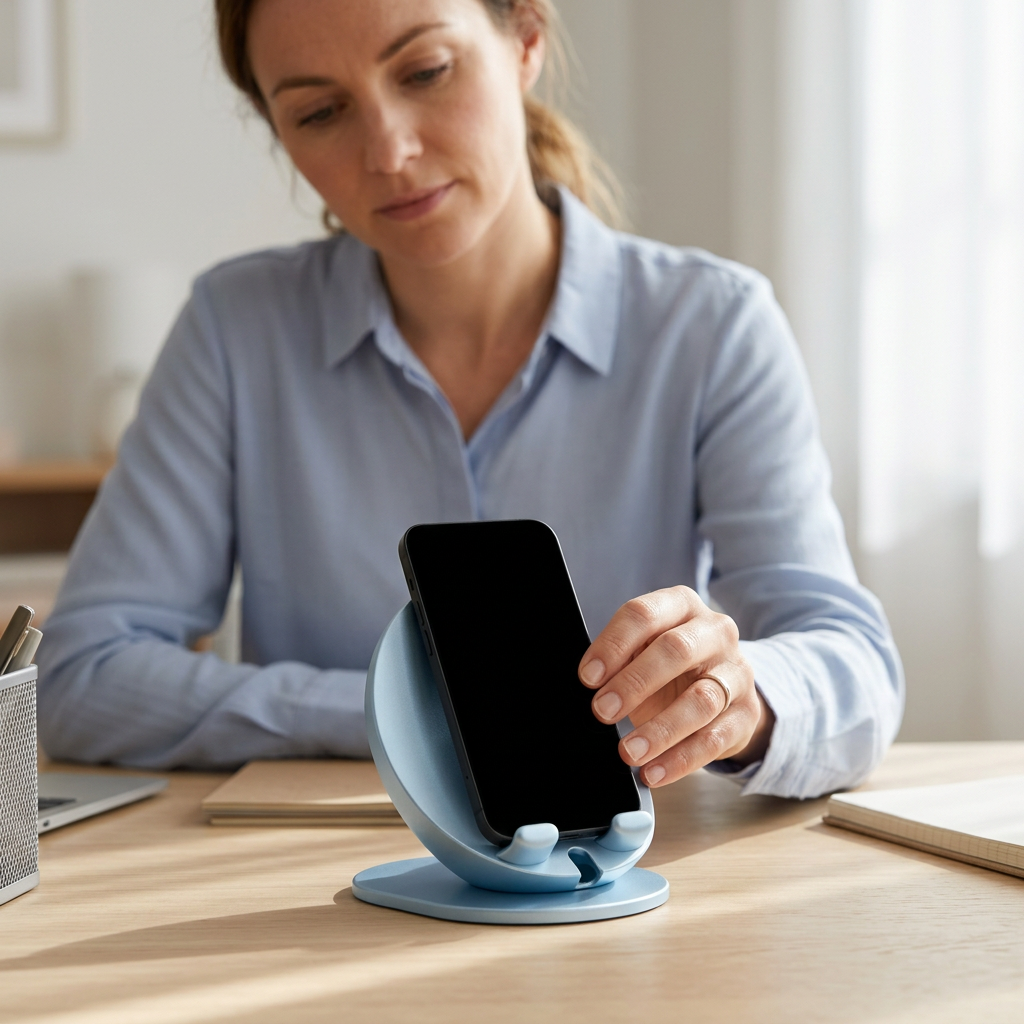
You finish reading a message, set your phone flat on the desk and reach for it again a moment later. Moon Arc offers another place to put it: an ice-blue crescent that frames a compatible phone in an upright position, ready for the next glance.
A curved back sweeps upward from a low oval base. Two rounded rests sit at the front, with an opening between them. The outline has the quiet character of a small sculptural object rather than a piece of office equipment. Even when your phone is elsewhere, the moon-like curve remains part of the room.

Meet the Curve
Look from the side and the crescent becomes clear. Its broad inner surface curves behind the phone, while the front rises into two small retaining lips. The oval base gives the design a horizontal foundation beneath that upward movement.
The pale ice-blue color keeps the details understated. It is a cool accent for a desk with warm wood, cream paper and neutral accessories, or a gentle continuation of an already blue room. There are no printed graphics competing with the silhouette.
Set It Down, Deliberately
Place the empty stand on a clean, dry, level table. Lower a compatible phone onto both front rests, with its back against the curved support. Keep a hand on the device while checking that it sits securely before letting go.
The support angle is fixed. There is no hinge to tighten, arm to extend or magnetic attachment to align. To change where the screen faces, reposition the stand on the table rather than trying to bend its curved back.
- Ice-blue crescent silhouette with an oval base.
- Curved back support and two rounded front rests.
- Open space between the front rests.
- A fixed arrangement without adjustable joints.

One Useful Place Between Tasks
At the start of a desk session, you put your phone beside your notebook instead of leaving it beneath a stack of papers. Later, you lift it out to make a call, then return it to the same spot when you are done. The stand makes that small return feel intentional.
You can choose a position beside your working area, leaving room for your hands, keyboard and paper. It is a place to rest a device, not a reason to fill every empty part of the desk. Keep frequently used objects separate so you can lift the phone without knocking into them.

Check the Fit, Not Just the Look
Phones and cases vary. Before relying on the stand, check that your device sits on both front rests without being forced into place, that its back meets the support and that it does not tip or rock. A thick case, attached grip or unusually shaped device may prevent a suitable fit.
No universal fit or specific device compatibility is implied. The front opening does not guarantee clearance for every port or connector. Moon Arc has no charging function, electrical components or magnetic holding system.
This is a resting support, not a clamp. Lift the phone into your hand for typing or firm screen presses, and check its position again whenever you put it back. Do not use it on a soft sofa arm, an uneven surface or the edge of a table.
From Daylight Desk to Evening Table
The same pale curve can move from a workspace to a bedside table when your routine changes. Remove your phone first, then move the empty stand by supporting its base. Choose a clear position away from drinks, loose bedding and places where a passing hand could catch it.
Beside a book and a lamp, its shape introduces a softer line among familiar rectangular objects. On a minimal desk, it becomes a small color accent. There is no need to match every accessory; a little contrast helps the crescent remain visible.
A Simple Reset ✨
Remove the phone before cleaning. Use a soft dry cloth to wipe the inner curve, front rests and base, then clear dust from the table beneath it. Keep the contact surfaces clean and dry before returning your device.
Care for your phone separately according to its manufacturer's guidance. Do not bend the support, force a device between the rests or move the stand with a phone still balanced on it.
Moon Arc gives one familiar object a more considered place to pause: a curved outline, a cool shade of blue and a small everyday ritual of setting down and picking up.
Phone and other styling accessories shown are not included.